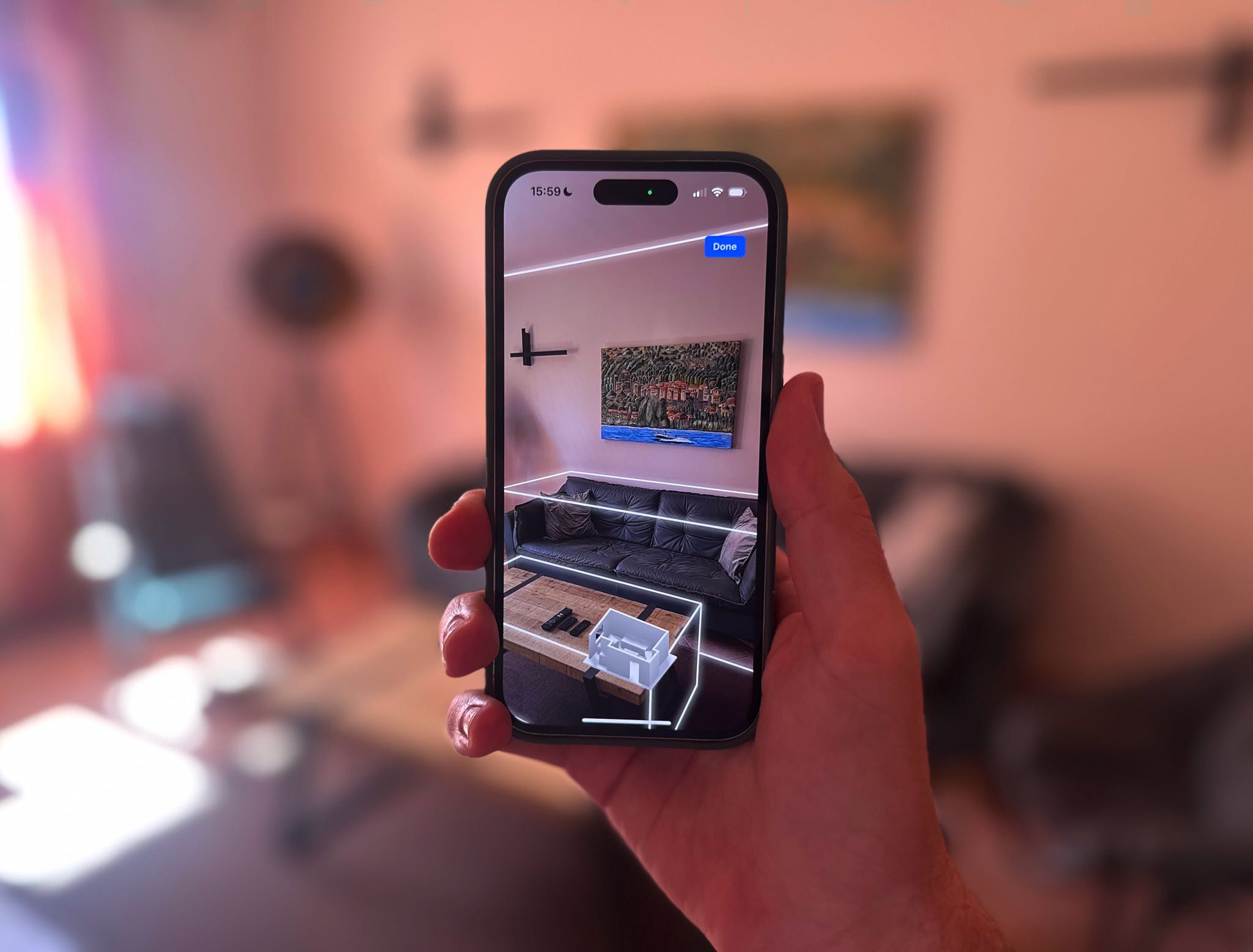
Floor Plan

Capture your home in 3D and control devices exactly where they belong.

Floor Plan showing an interactive 3D home view in Controller for HomeKit
Try Controller For Free
3D floor plan of a home in Controller for HomeKit

Your home as an interactive model.

Scan your home with the LiDAR sensor on a compatible iPhone or iPad and turn it into a three-dimensional view where every device sits exactly where it actually stands. Rooms and perspective become immediately clear - more natural than any list or tile view.
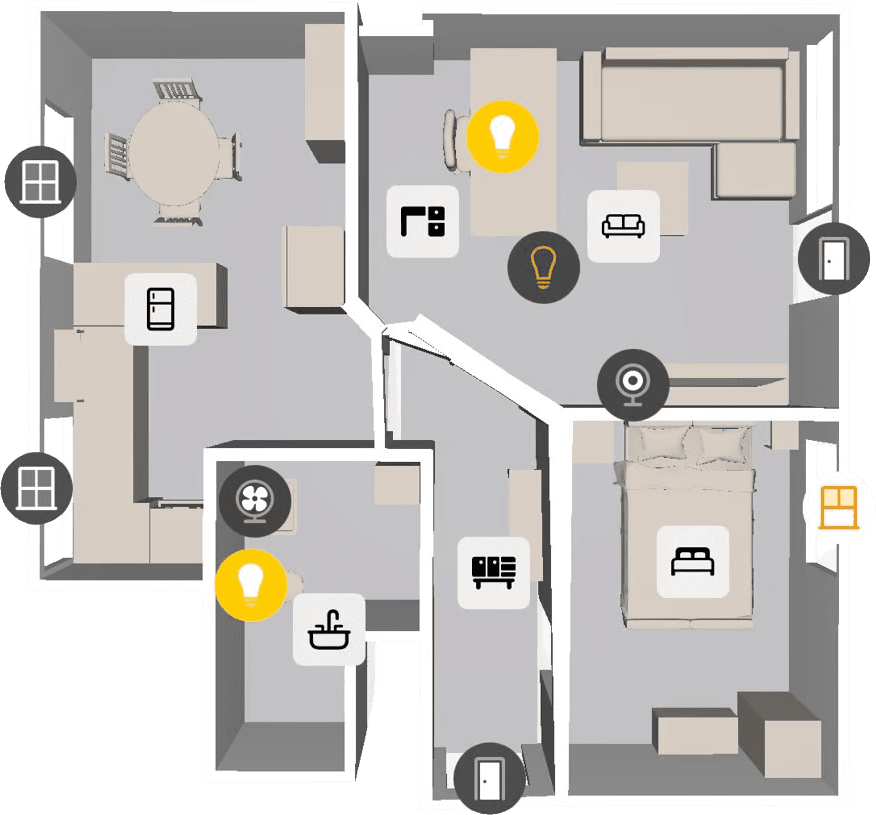

Devices, scenes, and workflows in the right place.

Place devices, sensor readings, scenes, and workflows exactly where they matter inside your home. The onboarding video shows how that turns Floor Plan from a visual layer into a direct control surface for Apple Home.

Floor Plan with devices, sensor readings, and controls in Controller for HomeKit
App Clip for starting a Floor Plan scan in Controller for HomeKit

Let someone scan it and import it later.

You do not need your own LiDAR device to set up Floor Plan. With the App Clip, a friend can start the scan on their compatible iPhone or iPad, and you can import the result into your home later.

RoomPlan & privacy

LiDAR capture stays local, sync stays encrypted.

Controller for HomeKit uses Apple RoomPlan to capture houses and apartments as 3D models with a LiDAR-capable iPhone or iPad. The processing happens locally on the device.

If you want to use the floor plan on additional devices, transfers happen through encrypted iCloud sync. And if you do not own a compatible device, you can still create and later import a scan through an App Clip on a friend’s device.

Go deeper

Understand Floor Plan in more detail.

If you want to go further, the documentation and the 7.0 release notes cover scanning, importing, and everyday use in more detail.

Experience Floor Plan yourself

Download on the App Store